Project
United Nations Digital Library: From Confusion to Clarity
Client
United Nations Digital Library (UNDL)
Timeline
4 month research and design sprint
My Role
UX Researcher and Designer
Tools
Figma, Eye-tracking (Tobii) , Voice Memos, SUS Survey, Analytics (Matomo), Rainbow Sheet Analysis
The UNDL Problem
As a worldwide gateway to official UN documents and publications, the United Nations Digital Library depends on strong search and discovery features to help users find what they need. The UNDL currently has limited insight into how users reach the site or use these features, making a usability study necessary.
We didn't get clear tasks from our clients, which opened up some room for us to discover what we could find. We had useful data from Matomo survey analytics hinting at a potential issue, a bounce pattern worth a closer look, and from this and the questions we asked, we created a hypothesis to set out and test.
This is the study of what we found, how we found it, and what I specifically recommend to fix it.
Visiting the United Nations
First, to understand where our clients were coming from and what they needed help with, we visited the United Nations Digital Library to meet Ariel Lebowitz and Megan Wacha.

Project Goals
As a class we were divided into teams. My team consisted of three of us with a focus on Search & Discover of the UNDL. Before we even recruited our first user, we created a research plan. Think of it as blueprint before we began construction. Without one, our results would not be as clear and concise as we wanted them to be, and our clients would not receive a detailed layout they could trust when it came to results.
The research plan was as follows:
What we are studying (Search and Discovery features, not the whole site)
Who we will talk to (two user types: "Professional" librarians and journalists, "General" students and curious researchers)
How we will study it (analytics, surveys, eye-tracking, A/B tests)
When things happen (a phased timeline from February through May)
What we will deliver (a usability report, slide deck, and case study)
It also in a way forced us to write down our hypotheses upfront, The things we expected to find before the data could prove us right or wrong. Chief among them: that users would hesitate before searching, struggle to tell whether a document even existed on the platform, and abandon the task before finding what they came for. Putting those guesses on a document meant the research could either confirm them, correct them, or if challenges would arise along the way because no test is perfect.
Research Design Set-up

What We Were Trying to Understand
Our central research question: How do users experience the search and discovery features of the UN Digital Library, where does that experience break down, and why?
Who We Tested With

We recruited 7 participants from the Pratt community and used a screener to identify two distinct profiles: Professional Users (researchers, academics, policy-adjacent roles) and General Users (educated adults without specialized research training). We screened for visual acuity given the eye-tracking component and worked to achieve a balanced split across profiles, though our final pool skewed toward users unfamiliar with digital library systems.
The Tasks We Created
How the Tasks Connected to Our Research
The tasks we created were connected to our initial research and were designed to complement and support that work.
The Foundation
Our research decision was based on our hypothesis, early confusion points, and initial Matomo and survey findings.
The Tasks
Participants completed tasks designed to align with Matomo findings and our initial hypothesis. Each task had a clear objective:
1.
Users' ability to access the UN Digital Library
2.
Users' ability to search for a geology-related topic
3.
Users' ability to find a map by narrowing the search to a 20th-century map
4.
How a user would recover from an incorrect result
5.
Users' ability to save a document
The Rationale
We designed the tasks this way because of the Matomo findings on Official Documents, Publications, and Maps. The tasks connected to our initial research and were structured to complement and support it.
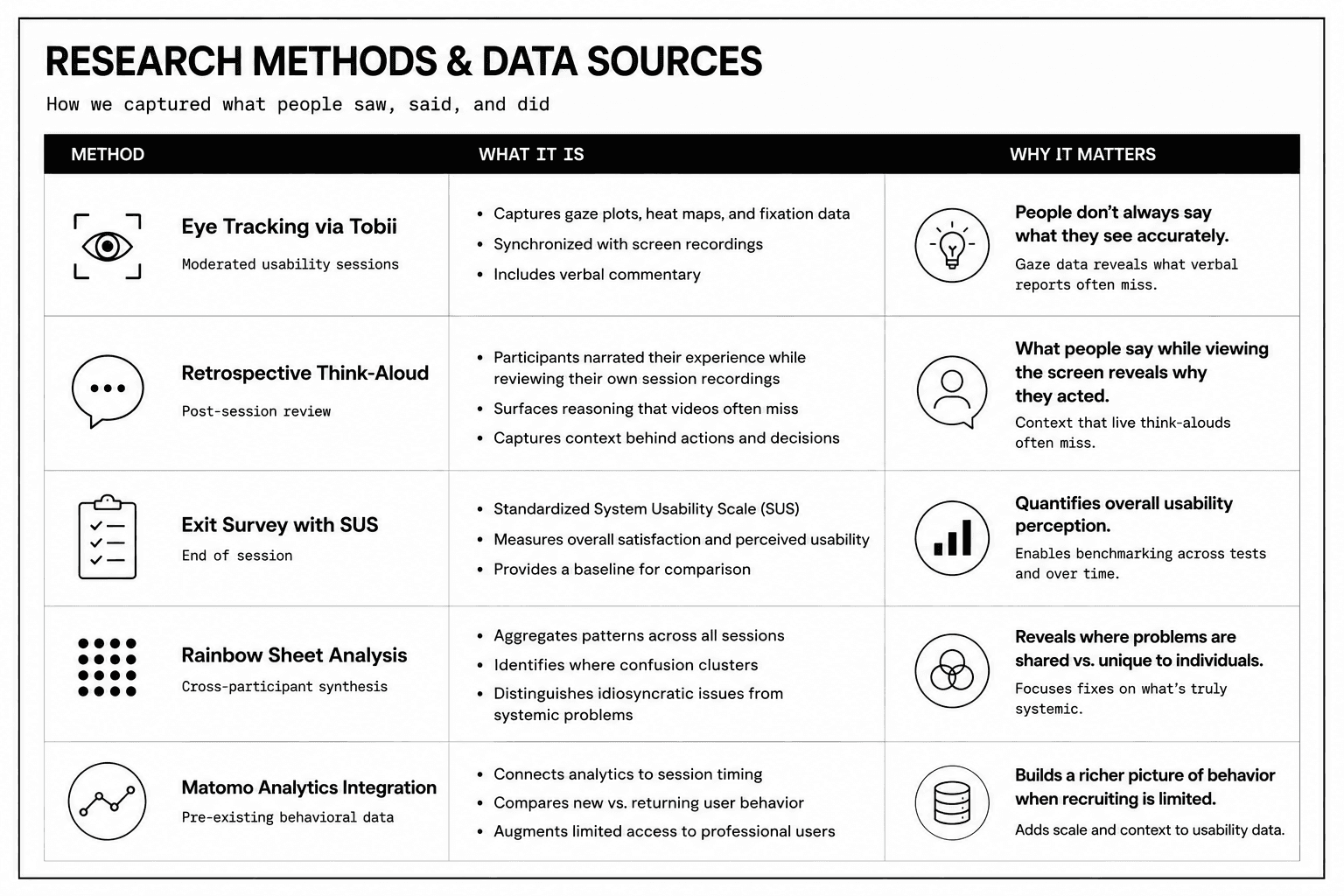
Research Methods and Data Source Findings are explained further in the Appendix
What the Existing Data Told Us
Before our sessions, we analyzed a substantial UNDL user survey. Three findings shaped how we designed our study and interpreted our results.
Findability was the leading pain point: Approximately 23% of survey respondents identified difficulty locating UN publications as their primary frustration. This was not a minor issue. It was the single most reported issue, and pointed directly to systemic gaps in the platform's information architecture and navigation design rather than a few odd cases.
The ease of use data was misleading without qualification: On the surface, the majority of survey respondents rated search as relatively easy (33% Easy, 9% Very Easy). But 24% reported difficulty, a meaningful share for a specialized platform. More importantly, this data carried a significant self-selection bias: users who complete exit surveys are, by definition, users who completed their session. The most frustrated users had already left. Accounting for that bias, the 18% reporting low confidence within an already self-selected pool was a serious signal.
User confidence was not what it appeared:
42% of survey respondents described themselves as confident in finding UN information, 13% as very confident. That sounds reassuring until you account for the same self-selection dynamic. The users who felt most defeated by the platform were not in the survey. They were ones who left before taking the survey. We kept this in mind throughout our analysis and resisted treating confidence data as a substitute for usability performance.
Inside the Sessions: What the Data Revealed
The Tobii sessions were where the data became clearest. Gaze plots and heat maps showed the truth. The user's eyes moved in tight clusters around a single interface element, circling without committing. It could be a sign of exploration, but paired with the retrospective think-aloud (the user thinking out loud) and exit survey responses, it showed us that this was not the case, and it was really confusing. People don't always do what they say or say what they do, but it aligned for our sessions.
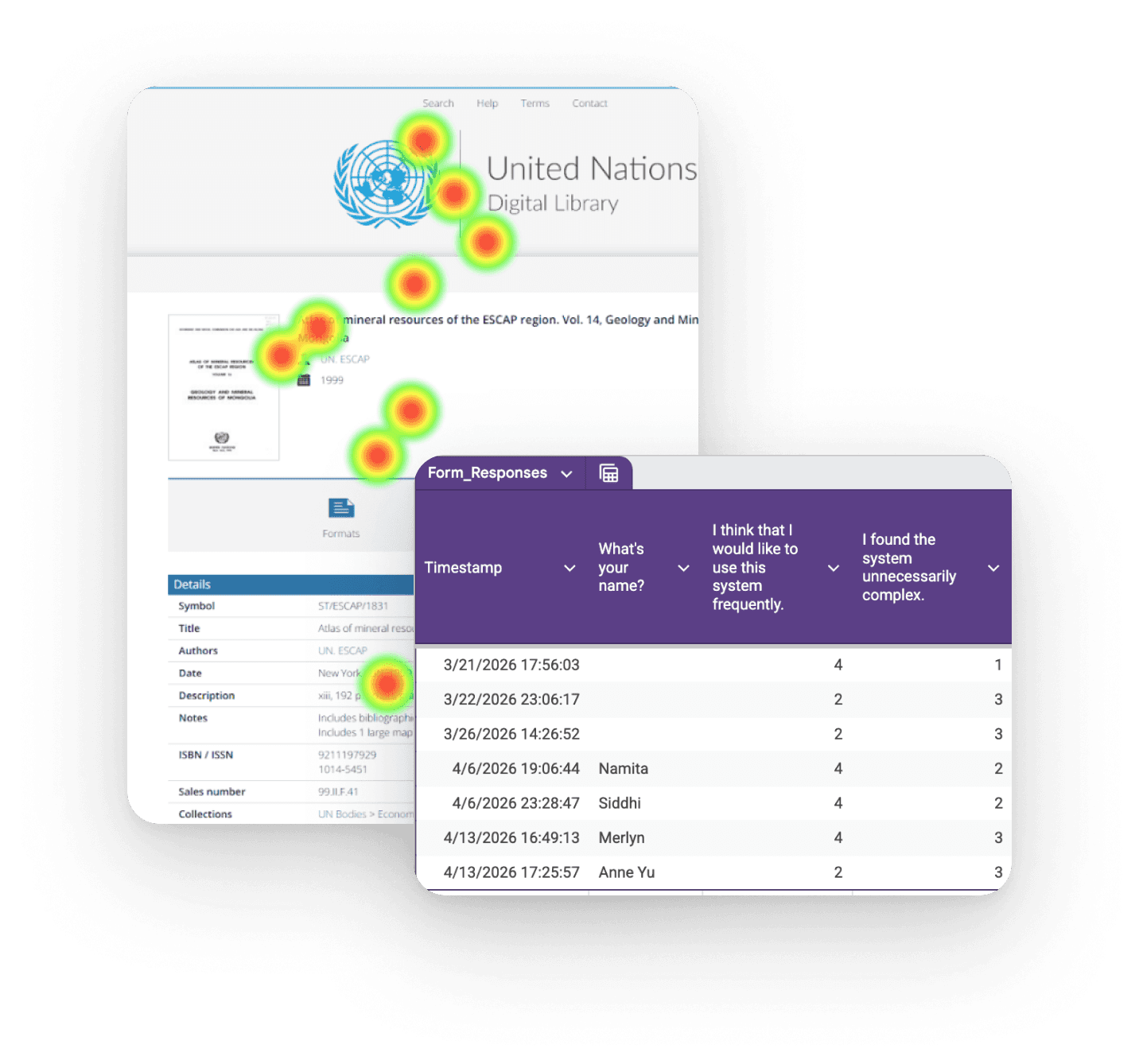

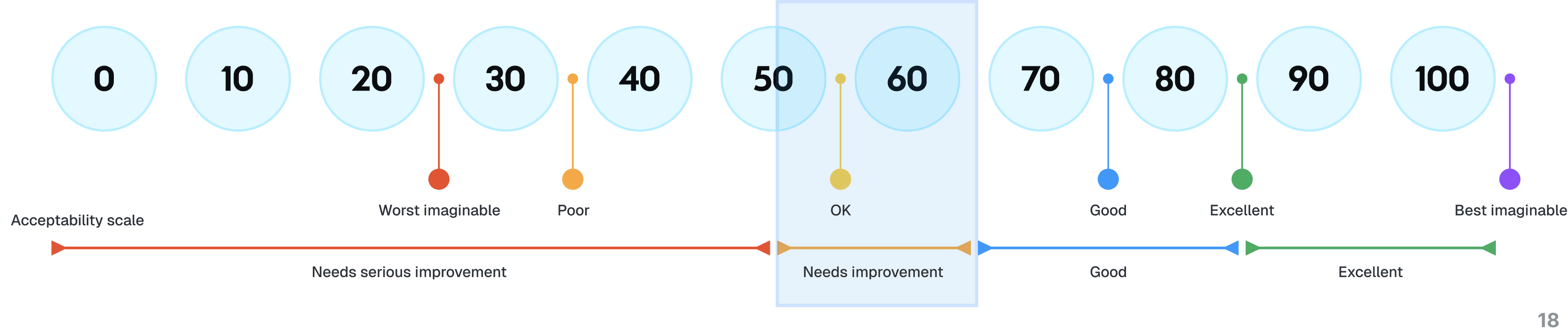
System Usability Scale
System Usability Scale, or SUS, is a standardized post-usability test questionnaire comprised of 10 questions that measures the perceived ease of use for any system. A score of 68 or higher is considered “average”. The UNDL scored 67. The SUS score showed us that while learnability was high, confidence and integration could be improved.
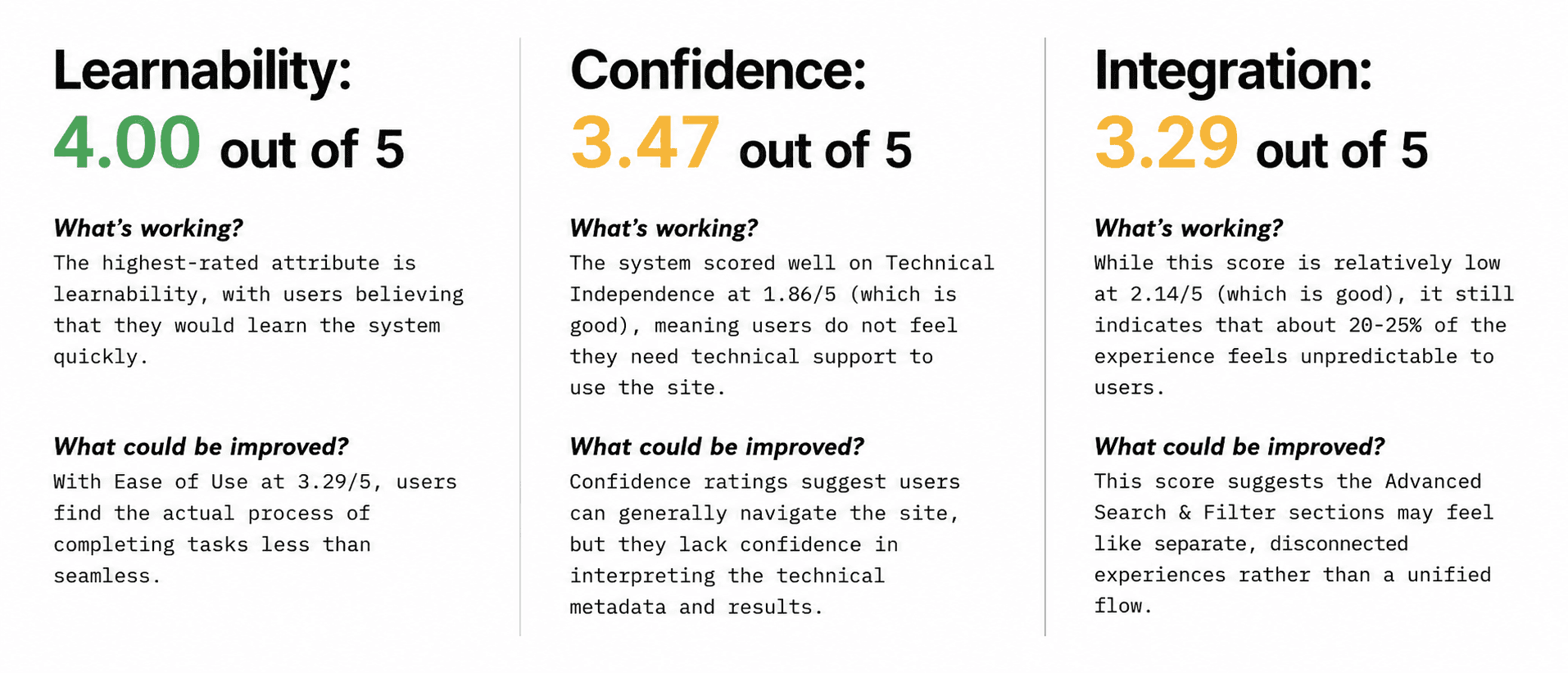
I spent time repeatedly analyzing the recordings, cross-referencing the think-aloud scripts, the exit survey questions, the SUS score, and the rainbow sheet to identify patterns that became visible across participants.
The pattern showed in different areas. Users across profiles consistently hesitated at similar points: the Contains dropdown in Advanced Search and using the Filter features.
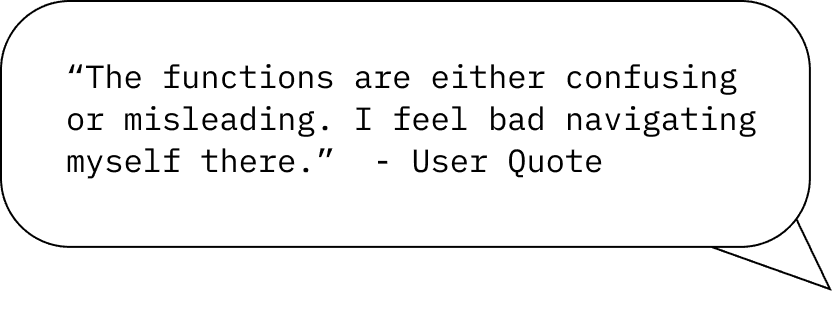
This quote above, from a session participant carried the emotional weight of interface confusion that most of our users experienced. This user did not say the system was broken. They said they felt bad. They internalized the failure of the design as a personal inadequacy. That is a UX problem, and our focus, the functions within Search and Discovery
How I Connected the Data
Time on Task for each of our Users presented in the GIF above
One of the real methodological challenges of this study was integrating two fundamentally different data sources: Matomo behavioral analytics and our own eye tracking sessions. Matomo gave us volume, bounce rates, and time-on-site. Our sessions gave us time-on-task and qualitative depth. These are not directly comparable datasets. We were stuck.
The logical bridge we connected to was time. Matomo's time-on-site for new versus returning users became a calibration lens for our task timing data. If new users in the real world spent significantly more time on the platform than returning users, and our new-user-skewed test participants showed elevated time-on-task with visible confusion behaviors, the two datasets aligned with each other without requiring direct mapping. It was triangulation.
The rainbow sheet made the cross-participant patterns legible. The problem list made the severity rankings stronger. The SUS score gave us a standardized benchmark. Together, they produced a picture of the UNDL search experience that was grounded in multiple independent evidence streams, and not in a single test session or a single analyst's interpretation.
A Focus on Advanced Search: Contains
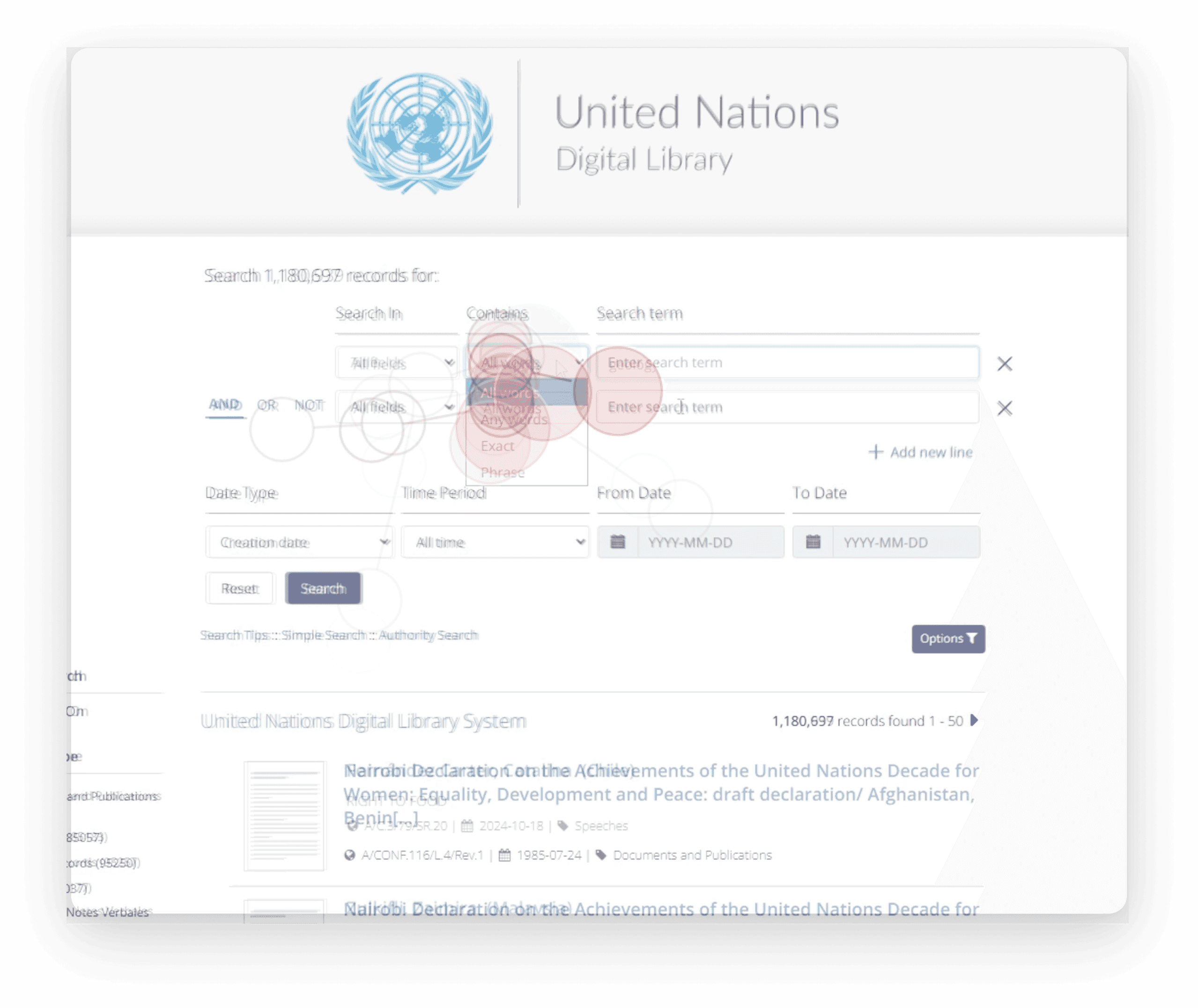
My focus within the team's recommendation set was Advanced Search. Within advanced search the key pain point was contains, I created a gaze plot overlap of all the users interacting with the contains dropdown
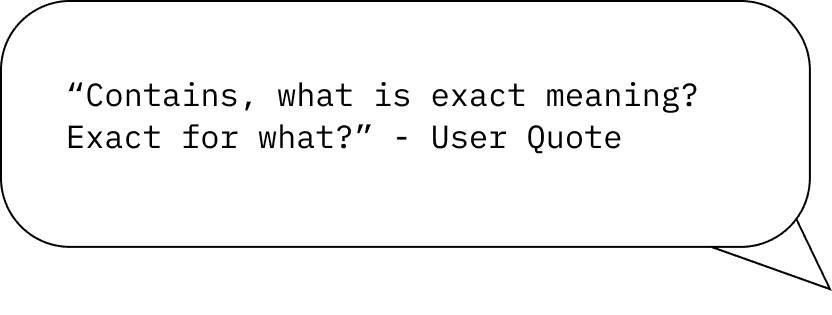
The Contains dropdown offered four options: All words, Any words, Exact, and Phrase. To a search professional, these are distinct and meaningful filters. For most of our participants, they were labels that confused them. Here are quotes
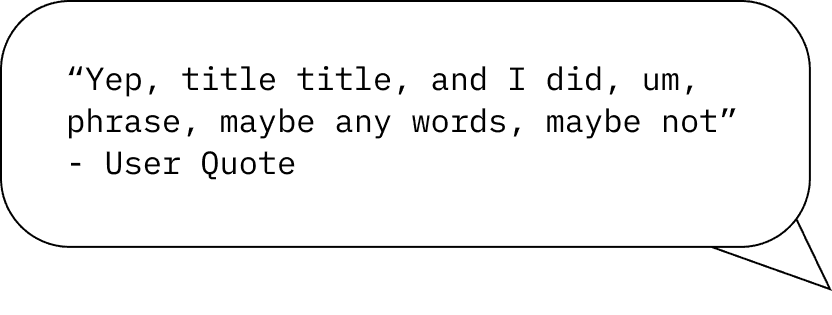
The second quote was particularly interesting to me. The smoothness with the title and then halting, self-correcting internal monologue, visible in both the think-aloud recording and the gaze plot recording, is the rhythm of a user guessing. Not exploring deliberately. Guessing. This can be read as confusion. Guessing takes time and leads users to leave the site, potentially due to confusion and a lack of confidence in navigating it.
It is worth noting that other interface elements within Advanced Search also caused confusion, including the Search In field. But Contains produced the most consistent, cross-participant friction. This pattern of consistency was worth developing recommendations for.
Recommendation: Tooltips for Clarity
The question I came to was as follows: how do I reduce the cognitive load of the Contains dropdown without redesigning the underlying system, introducing new terminology, or requiring users to leave the interface to seek help?
The answer was tooltips because they are clear. They deliver contextual definitions at the exact moment of decision, require no navigation away from the task, and impose zero change on the underlying data model or search logic. For an institutional platform like the UNDL, which operates under significant constraints around the scope of change, that matters.
Visual recommendations below show what the Tooltips do, so you can better understand how they work and how they can assist the user.
Any Words
Tooltip: "Matches records containing any of your search terms."

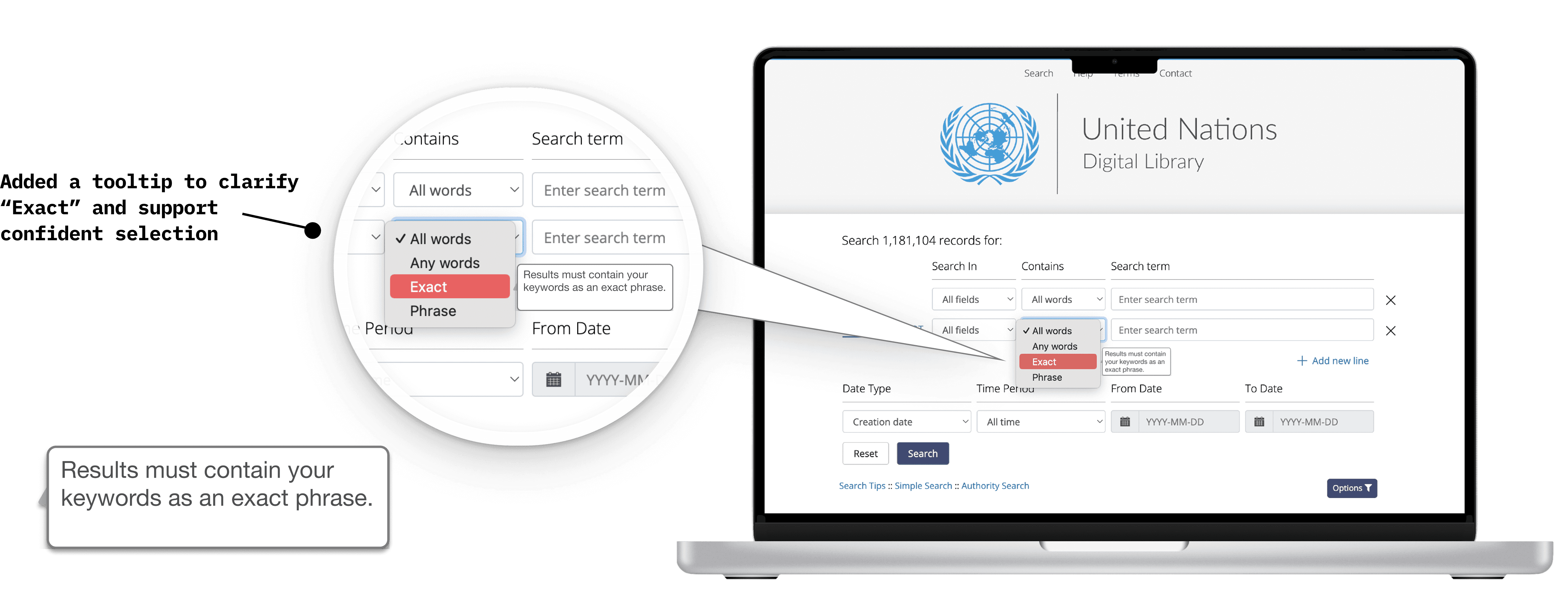
Exact
Tooltip: "Matches records containing your exact search term as entered."
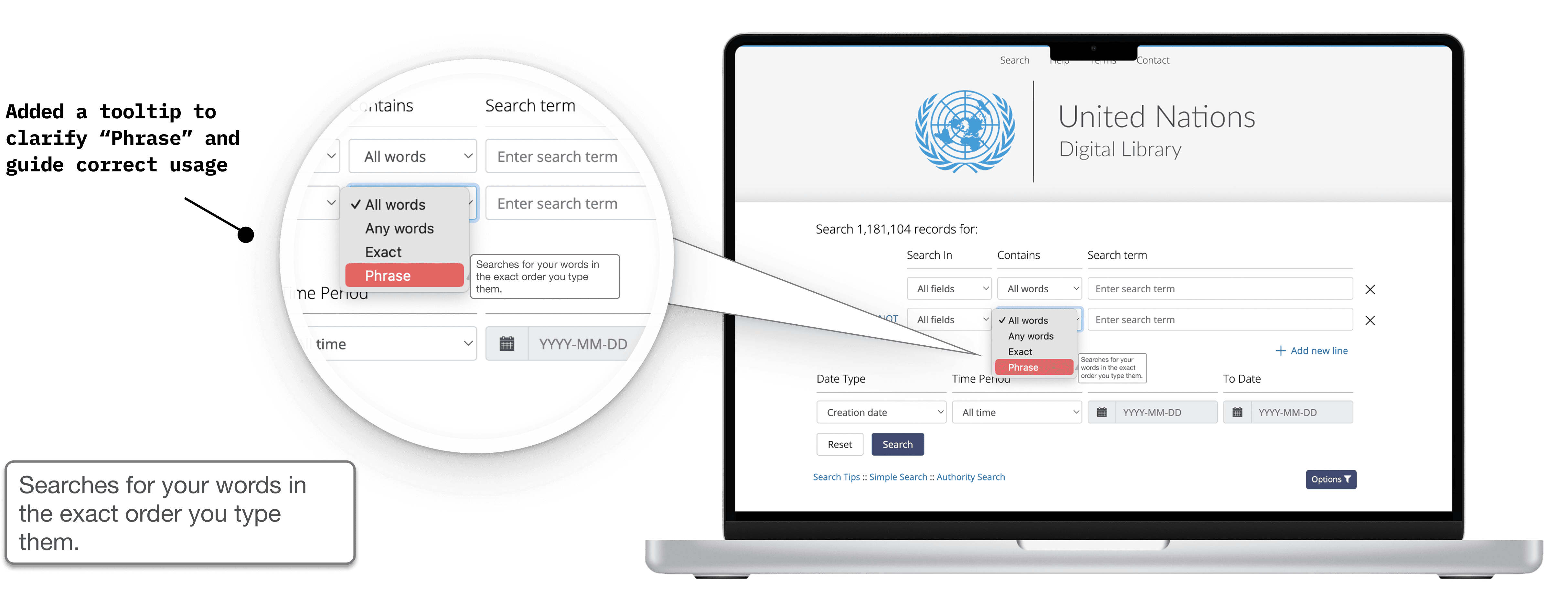
Phrase
Tooltip: "Matches records containing your terms as a continuous phrase."
Recommendation: Filtering and "i" Icons for Clarity
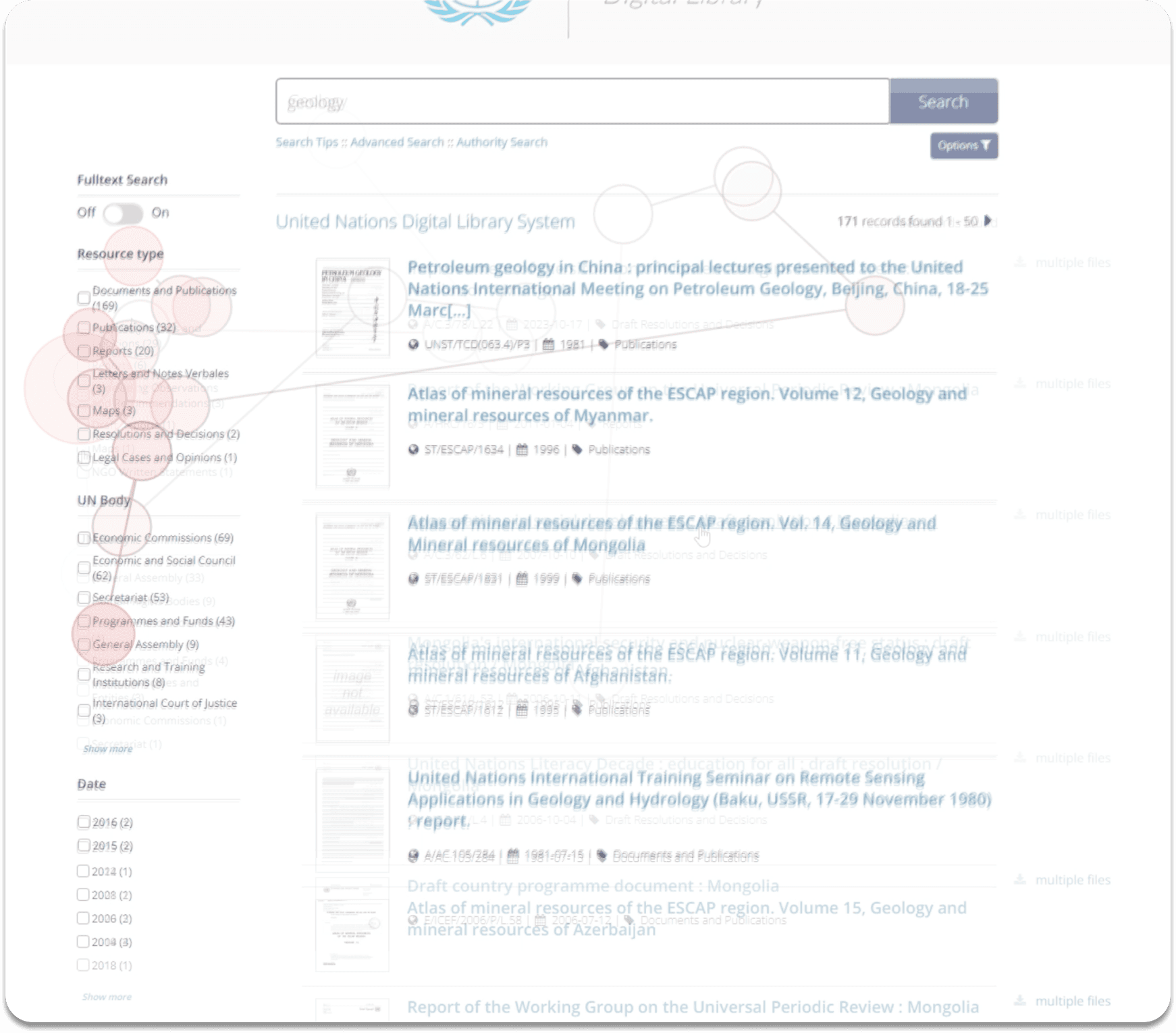
A snapshot of combined user gaze data for the filters section.
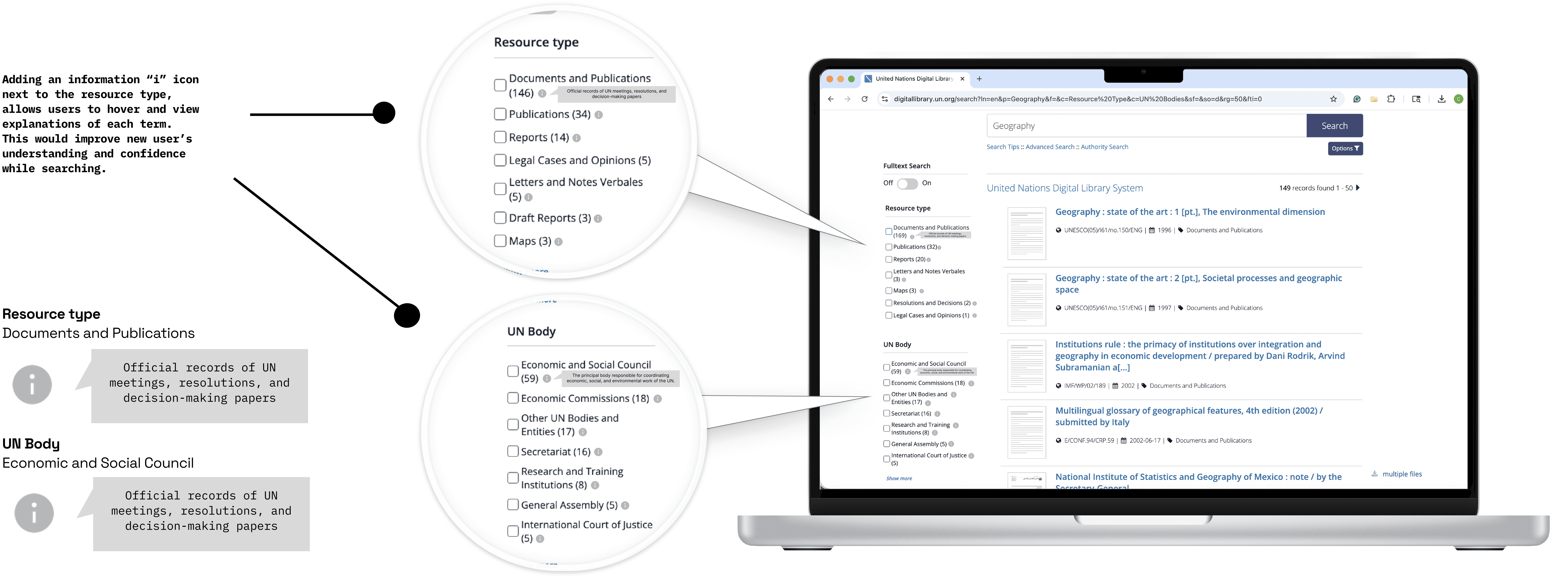
Another section my team focused on was filtering. Contains and Filtering align on the core question; the key was to make the filtering options intuitive. For this recommendation, we suggested the "i" icon.
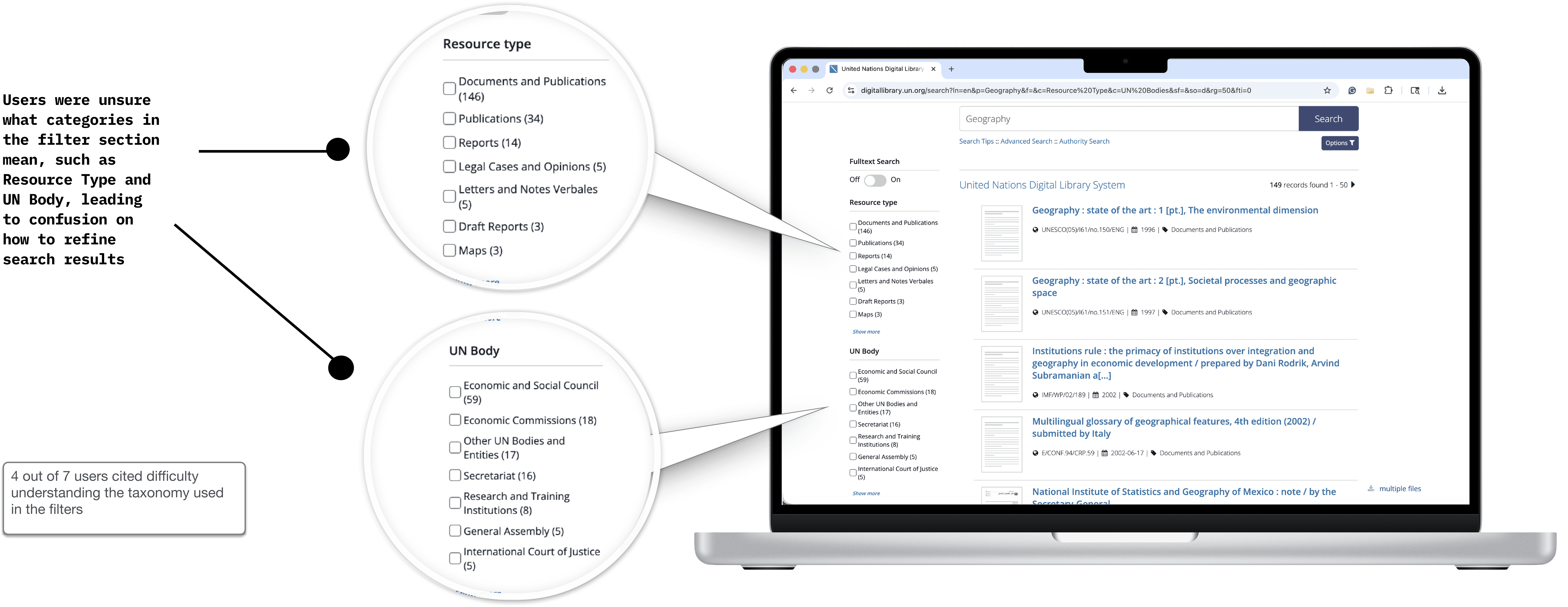
Users did not understand what many of the options under “Resource Type” and “UN Body” meant, and could not easily filter by dates, as the check box design required filtering by a specific year.
Filtering: Adding an "i" Icon
Adding icons and accompanying text to provide subtle but visually distinct cues to users, improving functionality.
Before
After
Dropdowns for Dates and Specifics for Date Range
Adding dropdowns and a selection for a specific date range improves ease of use for the users and increases discoverability.
Before

After

Why I Ruled Out Alternatives
I considered three other directions before landing on tooltips. Inline label redesigns would have required changes to the dropdown options themselves, introducing unfamiliar terminology that might confuse returning users trained on the existing labels. A help modal or side panel would have required users to break their task flow entirely. A progressive onboarding overlay was too invasive for a research-oriented platform where users arrive with urgent intent, not patience for tutorials.
Tooltips and the "i" icon solved the problem at the layer where it lived: The interaction moment. Nothing else did that with the same precision and minimal disruption while providing the most clarity for our users.
The Room Where It Mattered
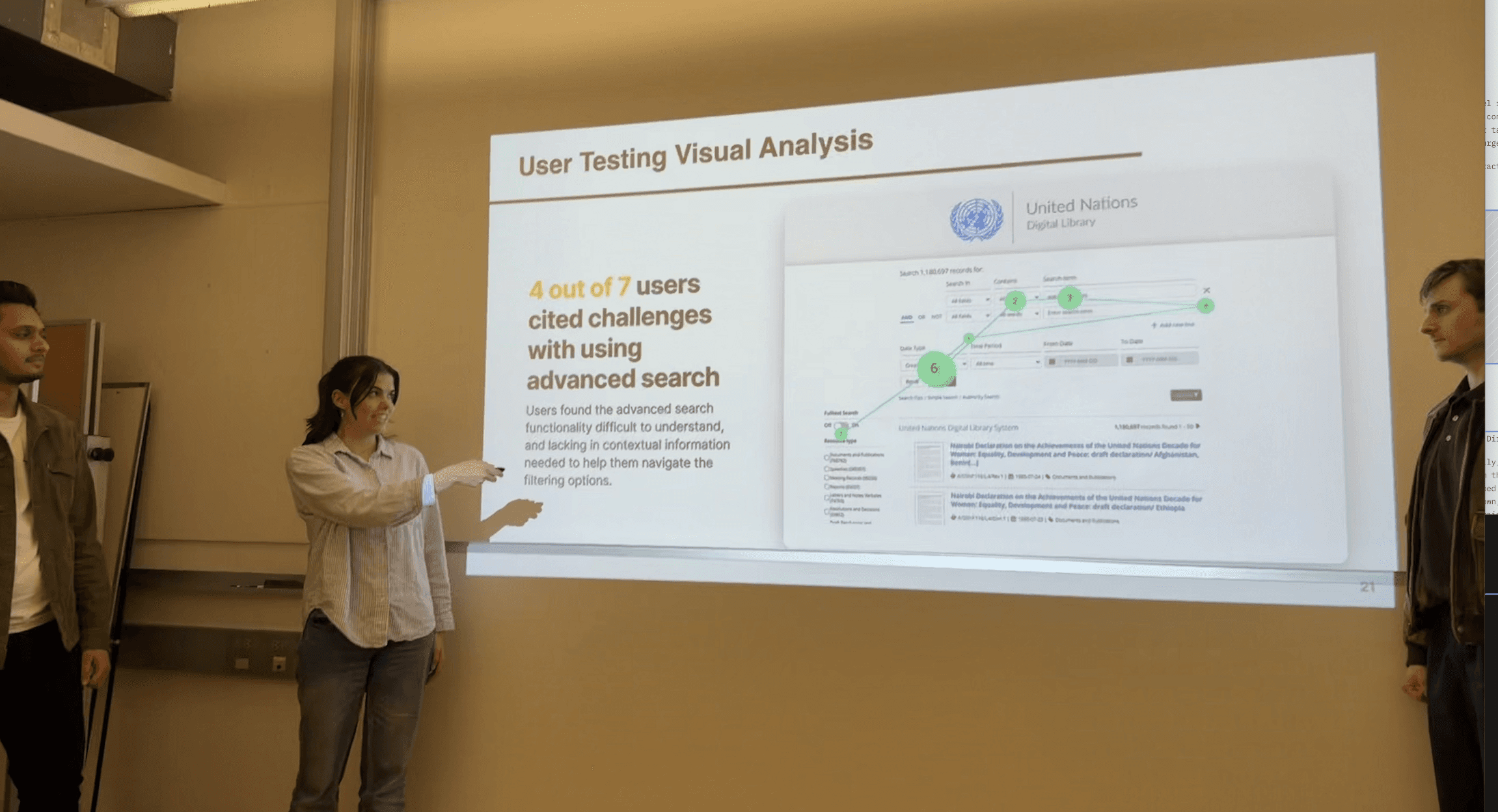
We presented our findings and recommendations to the UNDL client team. The Director of the United Nations Digital Library attended in person.
When the clients asked why we had made the tooltip recommendation specifically, I did not reference to a design principle or a heuristic framework. I walked them through a summary of where users' attention fragmented when they encountered the Contains dropdown. I described the moment in the sessions where a participant said "Contains, what is exact meaning?" while their gaze was fixed on the dropdown, cycling through the options without selecting, and what that behavior looked like mapped across multiple participants on the rainbow sheet.
The recommendation was not a hypothesis but connected to ours in the research plan. It was the direct output of watching real users fail at a specific interaction, repeatedly, across a diverse participant pool, and identifying the smallest intervention that would eliminate that failure.
The Director engaged seriously with the findings.The clarity-first framing of all three team recommendations resonated with the client's own concerns about platform accessibility for non-specialist users.
What This Study Was: What I Learned
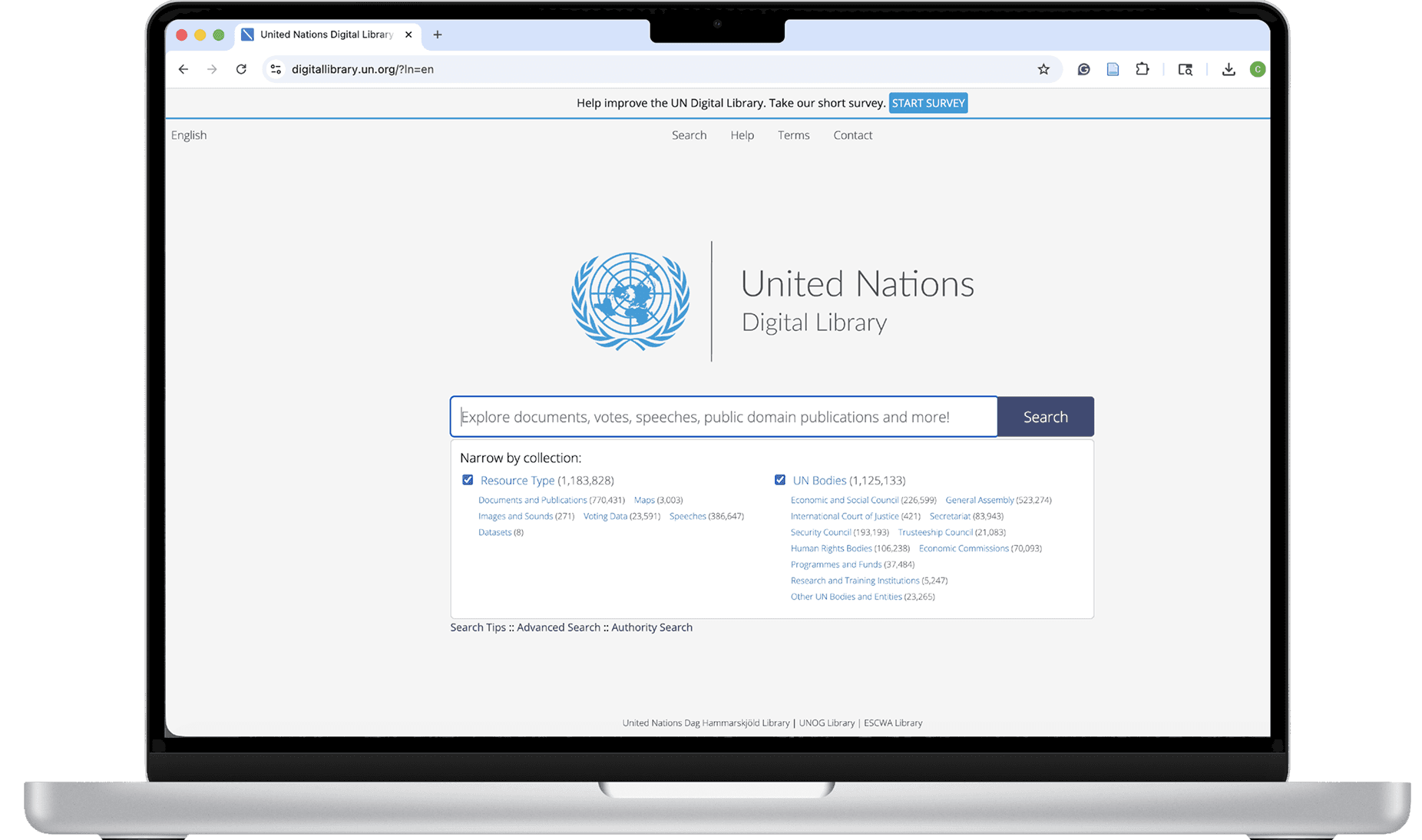
The UNDL came to us with a platform that had some real structural problems, sparse internal documentation, and a user base whose behavior analytics suggested systemic friction but could not explain it. Our job was to find the explanation.
We did that through a method stack that combined behavioral data, physiological measurement, verbal protocols, and quantitative surveys, then synthesized them through cross-participant analysis. The rainbow sheet and problem list were the tools that made pattern recognition possible across a small but diverse participant pool.
Although we had some constraints. Our participant pool, while purposefully recruited, skewed toward users unfamiliar with digital library systems. We would have benefited from a larger sample with greater balance between familiar and unfamiliar users. And we operated within a context that limited the scope of recommended changes.
None of that diminished the validity of the findings and what we found. It more so shaped them. Research conducted under constraints, with an honest acknowledgment of those constraints, is more useful to a client than a polished study conducted in ideal conditions that never exist in practice.
What I collected, analyzed, and created is not a truth. It is just one direction we had. One hundred unfamiliar users could tell a completely different story than fifty familiar ones, and both stories would be real.
Our UNDL study produced real progress, the tooltips fixed a usability issue that affected several participants, and the project got the client thinking about clarity as a design principle. That shift in thinking may be the most valuable outcome of all.
If We Had More Time
Given more time, I would test professional users, specifically librarians and journalists. We couldn't recruit them within our constraints, but with additional time, we would have prioritized reaching this group.
Appendix: Methods
